

The power of Sourcetree lies in its ability to simplify how you manage changes to your source code in a visual way, whether you’re new to coding and trying to master the basics, or an experienced hand working with a team around a complex codebase.
We also speed up your workflow by helping you interact with your repositories directly from Sourcetree with a seamless connection to in-house and remote hosting services like Bitbucket Cloud, Bitbucket Server, and GitHub.com.
With Sourcetree 3.0 for both macOS and Windows we’re proud to announce support for additional remote hosting services, namely GitHub Enterprise, Microsoft Visual Studio Team Services, and GitLab (Cloud, CE, EE).
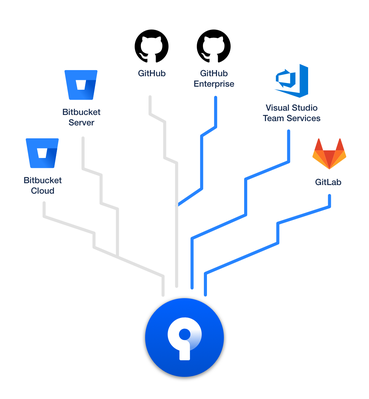
When you add an account from any of these new hosting services and configure your repositories you’ll get:
- SSH management: Sourcetree will generate and upload your SSH key (macOS) or manage directly via Putty (Windows) [if supported]
- Repository avatars: see the icons you’ve set to differentiate your bookmarks at a glance [if supported]
- Remote repositories: Remote repositories are viewable in an easily filterable list to manage and when cloned via Sourcetree they are setup for use
- Repository creation: configure new repositories quickly and easily, setup for Sourcetree from the start [available features vary per service]
- Create pull requests: push the branch and then go directly to a new PR in the hosting service’s Web UI
- Single click access: jump straight to your current repository in its hosting service for advanced operations
Getting started with Sourcetree and your favorite services are now easier than ever. Sign in with a Bitbucket account (Cloud or Server) to register, configure an option or two, and you’re ready to go. You’ll be able to immediately clone a repository or you can visit the Accounts preferences section to add the ones you use most often.
Sourcetree 3.0 for macOS and Windows is currently available as a beta, and will slowly roll out to users in a few weeks time. Download the beta today and let us know what you think via our beta mailing list!


